til
Your .env file is a secret at rest: mount it from 1Password instead
TL;DR A plaintext .env is a secret at rest: anything that can see the project folder can read it, and one stray git add commits it. A 1Password Environment can mount the same file as a named pipe, so nothing sits on disk. It is at-rest hygiene, not a sandbox, and the pipe has two traps.
Your .env is a credential that lives next to your code, in plaintext. 1Password's own announcement puts it the same way: secrets are stored in plaintext on disk, and it is easy to forget the .gitignore entry and expose credentials in a commit.
Why a file is the problem
A file is readable by anything that runs as you and can reach the directory: build tools, editor plugins, AI agents, sync clients. It also gets copied wherever the project goes: backups, snapshots, a zipped folder, a forgotten clone.
The fix is to not have the file. For a mounted Environment, the contents are never stored on disk; they are passed to the reader on demand through a UNIX named pipe.
What it looks like
Set it up
You need the 1Password desktop app, the Environments policy on for your account, and Mac or Linux (local .env files are not supported elsewhere).
Step 1 of 3
Create the Environment
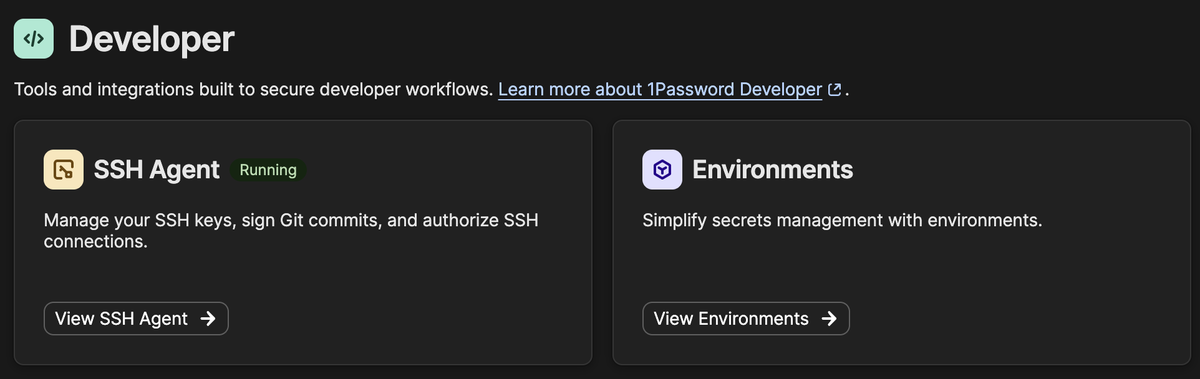
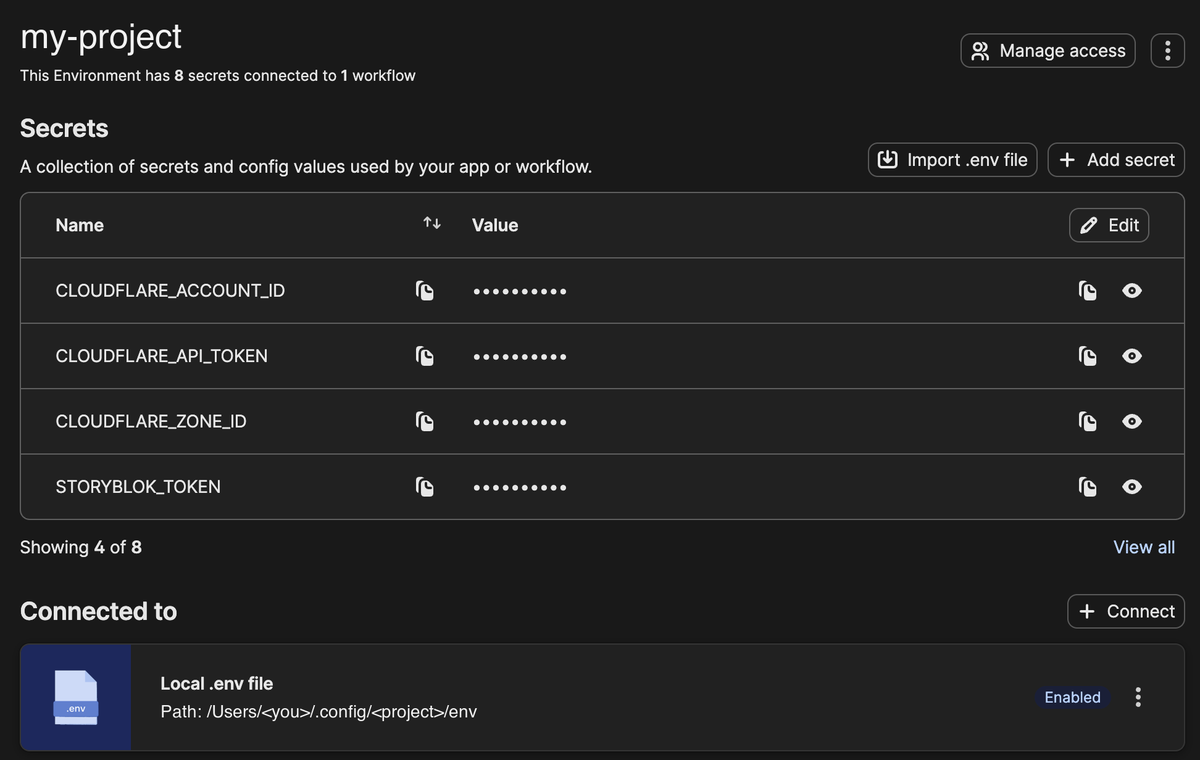
In the app open Developer > View Environments, create an Environment and use Import .env file. Doing this in the UI means no script or agent has to read the values.
Remove the plaintext file
Move the old file away. If Git tracks it, the docs say to delete it and commit the removal first.
Mount it
Connect a Local .env file, pick an absolute path outside your project, approve the access prompt. Switch the mount off in the app to remove it again.
What you get, and what you do not
You get: no plaintext values on disk, nothing for Git to track ("it won't be tracked by Git", per the announcement), no copy for a backup of the project folder to pick up (my inference from the above), and a file that locks again when 1Password locks.
You do not get isolation. The docs are explicit: once the file is unlocked, every process can read it until you lock 1Password or disable the mount, and no distinction is made between processes. A process running as you can still read the secrets while the app is unlocked. Other documented limits: Mac and Linux only, and mounts aren't designed for concurrent access.
The pipe gotchas
The mount is a named pipe, not a regular file. A scratch FIFO shows what that does to a wrapper script (this is a plain mkfifo, not the 1Password mount):
$ mkfifo a.fifo && (while true; do echo FOO=bar > a.fifo; done) &
$ ls -l a.fifo | cut -c1
p
$ [ -f a.fifo ]; echo f=$?
f=1
$ [ -e a.fifo ]; echo e=$?
e=0
$ args=""; [ -f a.fifo ] && args="--env-file a.fifo"; echo "before: args=[$args]"
before: args=[]
$ args=""; [ -e a.fifo ] && args="--env-file a.fifo"; echo "after: args=[$args]"
after: args=[--env-file a.fifo]
So test with -e, not -f, or the --env-file flag is skipped without an error.
Second, keep the mount out of directories you bind-mount into a Linux container. With the mount at <project>/.dev.vars, my astro build in a container hung until my 300 s timeout. Why is an inference: the writer is the host app. A plain FIFO in a bind-mounted directory behaved similarly: cat inside the container got no data and was only stopped by timeout. Mounting outside the project and passing it from the host with container run --env-file ~/.config/<project>/env delivered the variables in my test, but I have not rerun the full build with that setup.
A .env on disk is a secret at rest; a mounted Environment is not, as long as the mount is a pipe outside your bind mounts.